What is the best X-VPN protocol for me?
Latest edited on 2026-09-04
This article will show you how to find the "best" VPN protocol for you.
Before that, you may want to know where can see all protocols. On different platforms, the methods are different.
- On Mobile versions:
You can see "Auto" protocol on the homepage. To check all protocols, please click Auto and you will enter protocols list. If you want to see all Everest protocols, like TCP, please click the arrow near Everest, like the following picture.
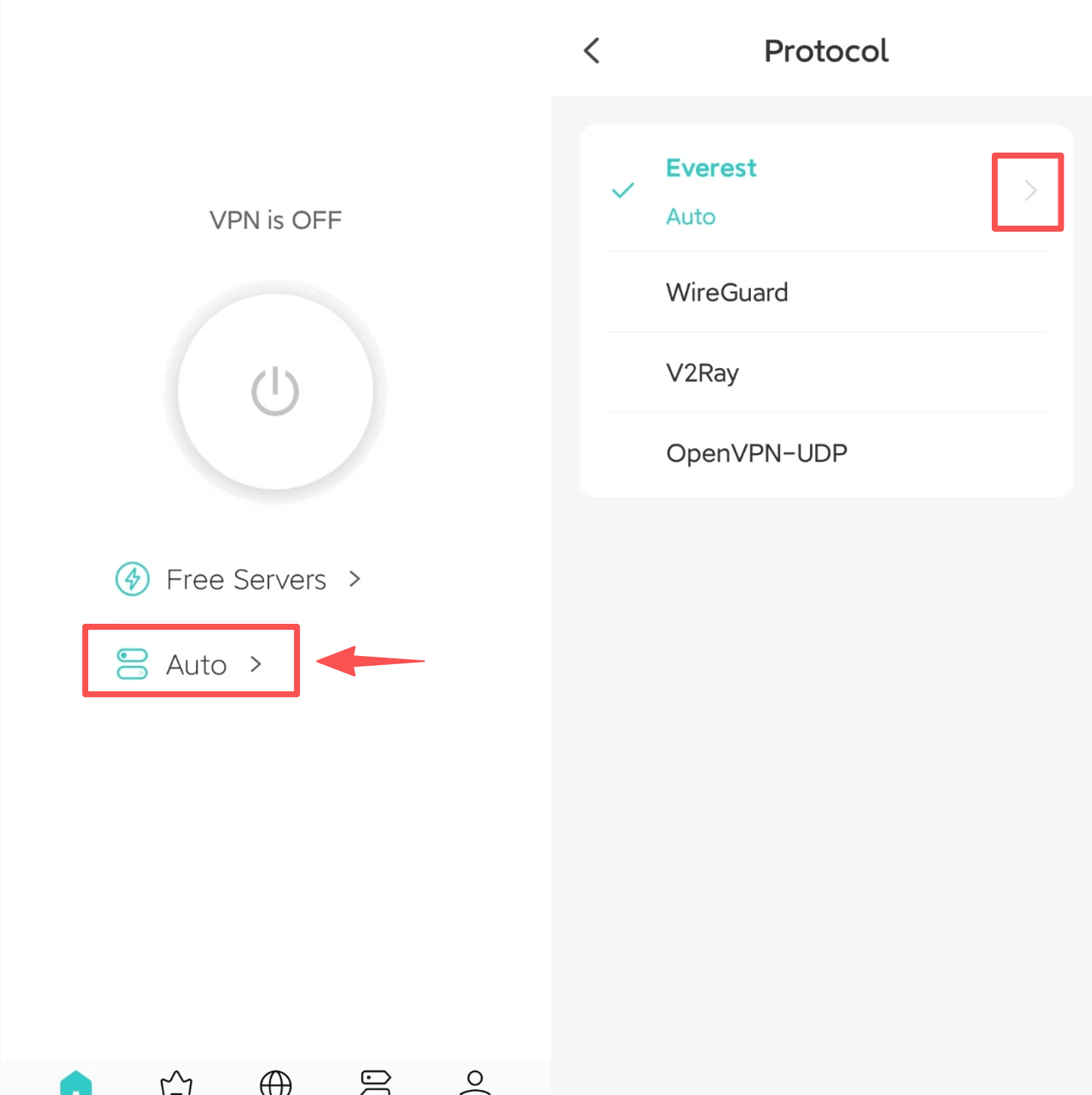
Select Location and Protocol(Auto)
- On PC versions:
On PC versions, you can direcly change protocols on homepage. Please click "Settings"- "VPN Settings" - "Protocol" to choose the protocol you need.
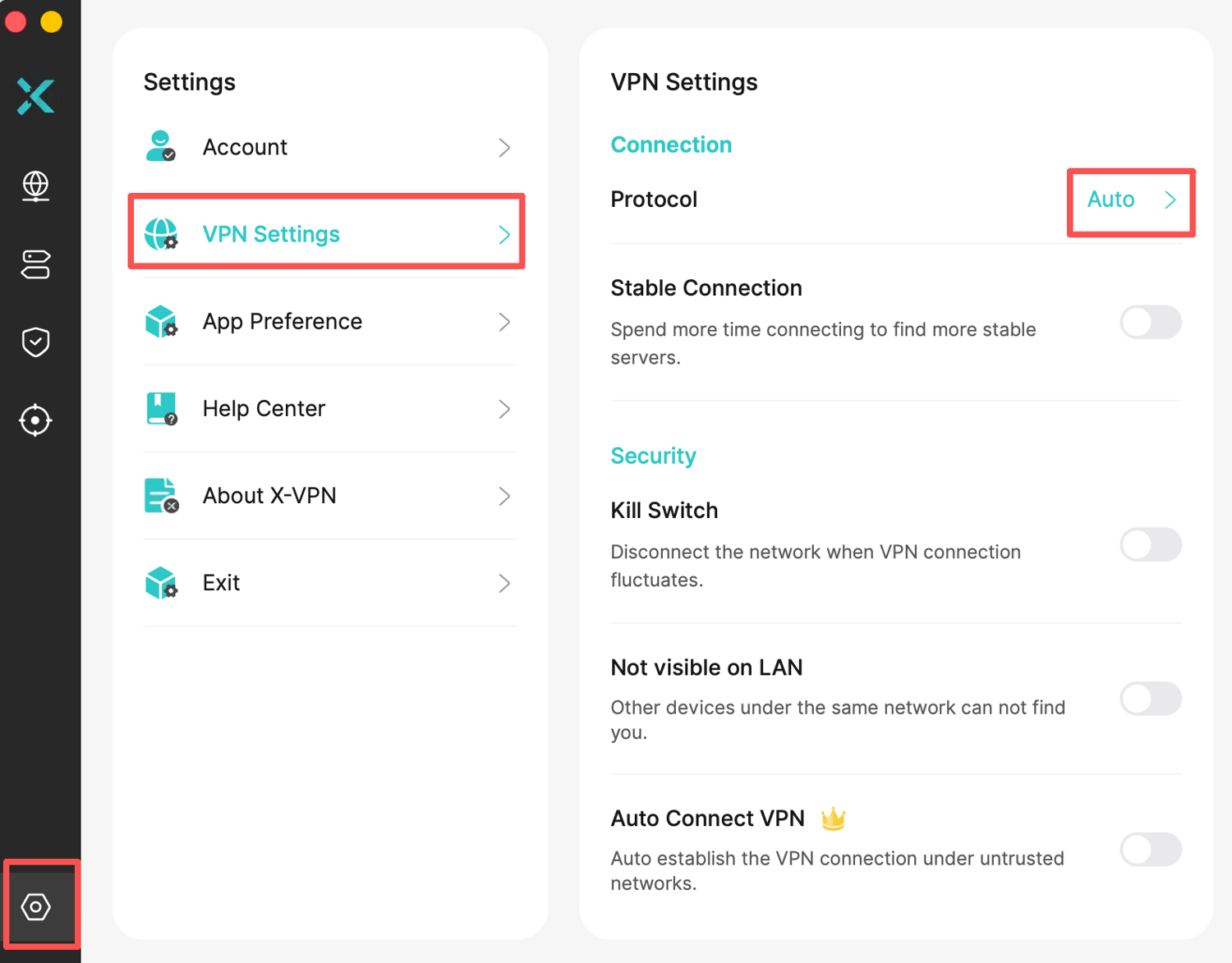
So which protocol is the best? Which protocol should you choose? In general it depends on the scenario and your needs when using a VPN.
1. Protect your privacy and secure your internet access
All of X-VPN's self-developed protocols can do the job. If you don't have a specific preference for protocols, then just use the Auto protocol that X-VPN automatically recommends for you.
2. For faster internet speed
When you have a requirement for network speed, such as making live voice calls, we recommend using UDP or TCP. Since VPN speed can vary based on your network, location, and server load, you can also check How to Choose the Right X-VPN Server Location to find a faster server.
Others you may be interested in:
What VPN Protocols does X-VPN support?
Why does the protocol switch automatically?
If you have more special needs, please contact our support team. We will give you a targeted recommendation.
Was this article helpful?
Thanks for your feedback!
Why wasn't this article helpful?