We use cookies to provide you a better service and analyze traffic. To find out more about cookies, please see our Cookie Declaration. By continuing to browse our website, you agree to our use of cookies.

Agree
Manage

Cookie Settings

We use cookies to provide you a better service and analyze traffic, To find out more about cookies, please see our Cookie Declaration.

Essential

Our website relies on these cookies for proper functionality.

Functionality

These cookies are utilized to retain your preferences, such as language selection.

Statistics

Cookies enable us to gain insights into our visitors and enhance their browsing.

Advertising

Cookies that are used to track conversions for ads platforms.

Confirm

How to create an X-VPN account?

Latest edited on 2026-09-04

In X-VPN App:

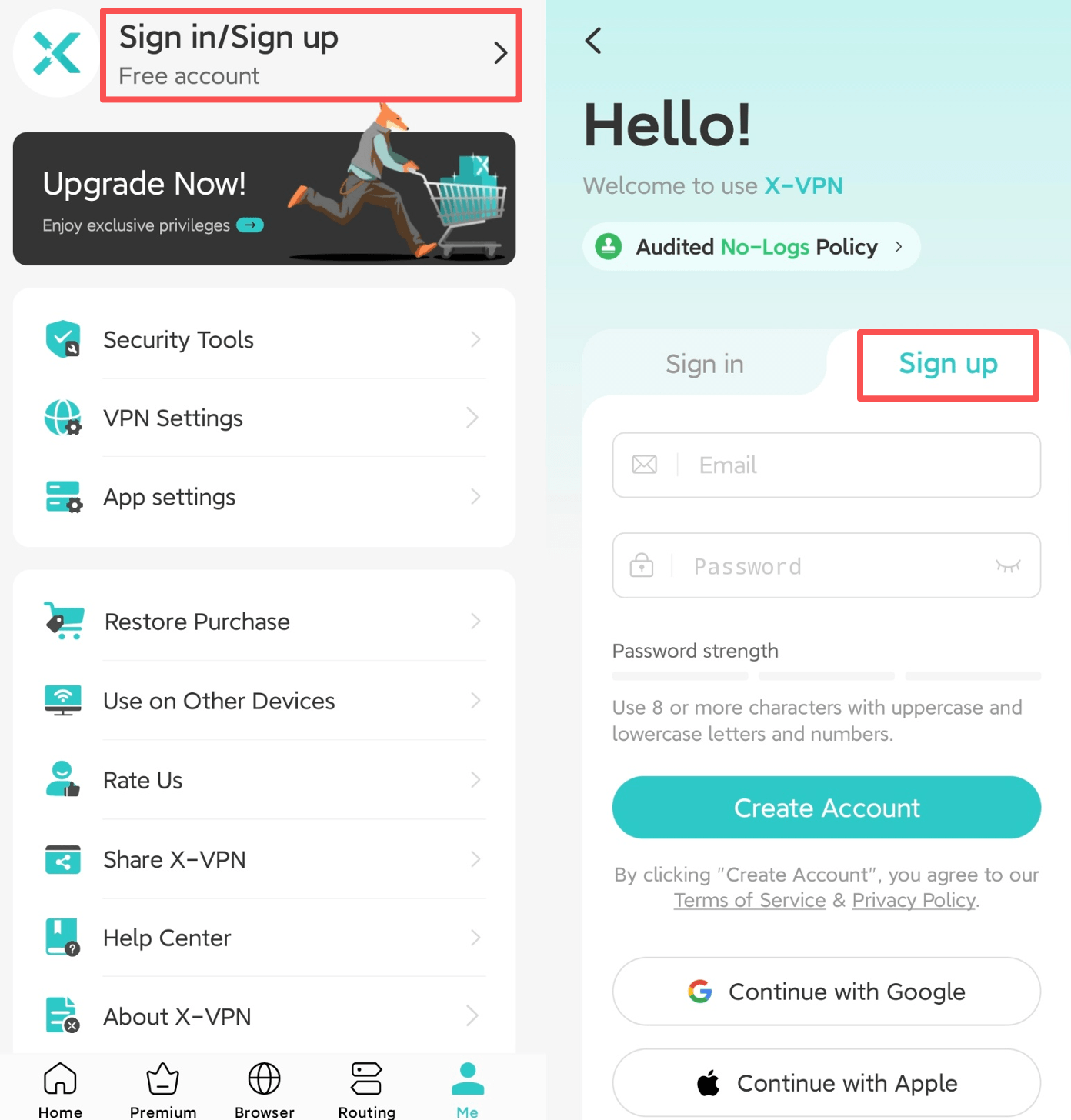
You may select the Me > Sign in/Sign up to create an X-VPN account with an email. (Please make sure your password is meet the stength.)
On the website:

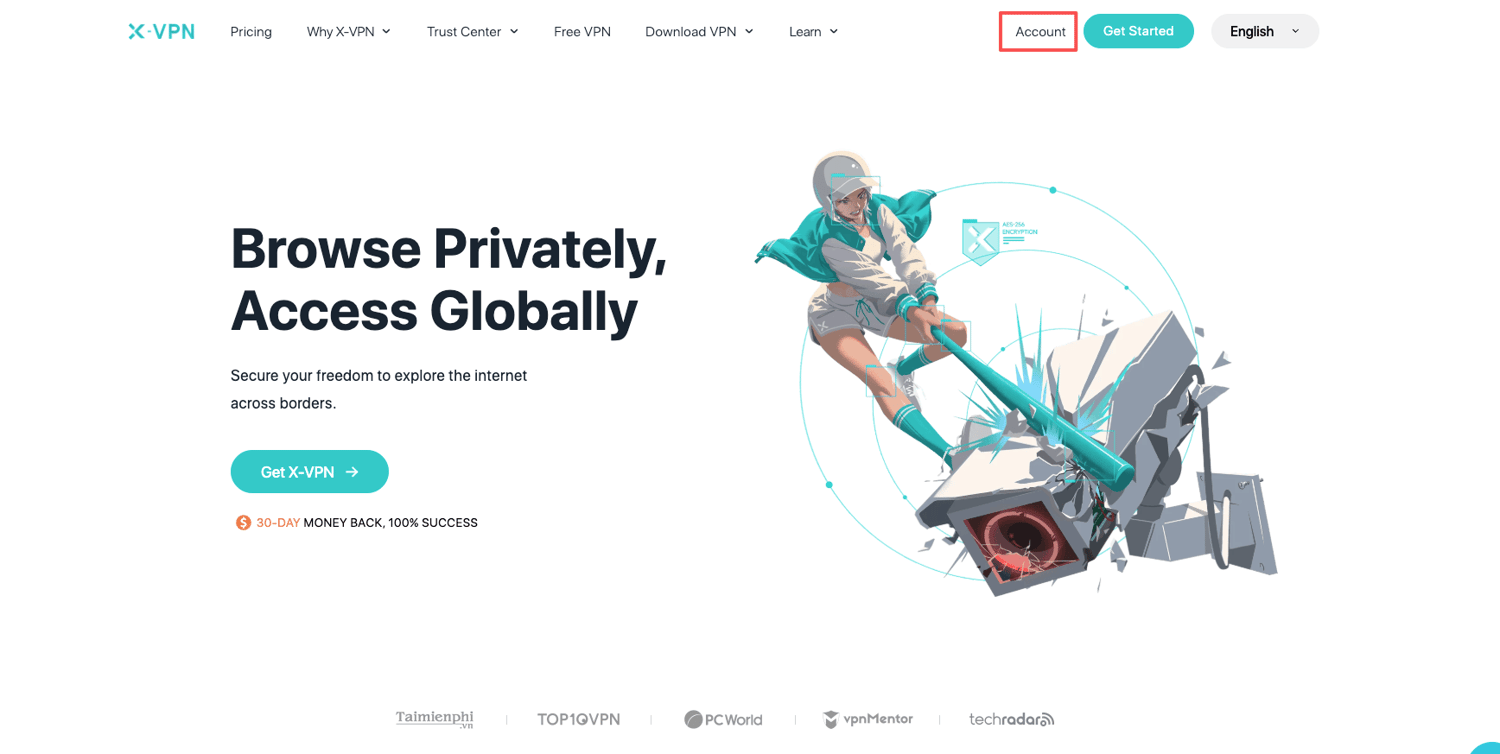
You may select Account > Create New Account to create an X-VPN account with an email through X-VPN's official website.
We recommend you use a real email address for signing up for an X-VPN account, to avoid subsequent account problems caused by unreal mailboxes.

Was this article helpful?

Thanks for your feedback!

Why wasn't this article helpful?